

Have you ever created high-quality content but had to wait a long time before it appeared in Google Search results? I’ve experienced that too. It feels like putting in the work but not seeing the outcome. One way to speed things up is by using Google Indexing API.
In this article, I will explain what Google Indexing API is, how it works, and why you should start using it now.
📌 What is Google Indexing API? #
Google Indexing API is an official service from Google that lets you directly submit new or updated URLs so they can be crawled and indexed faster. With this method, you don’t have to wait for Google to discover changes naturally, which can take a long time.
If you want to explore more, check the google indexing api tag on my blog for related articles.
🔍 Why Google Indexing API Matters #
Normally, Google crawls websites on a schedule. If your site is new or rarely updated, it can take a while for new pages to be found. With Indexing API, you notify Google immediately about updates, speeding up their appearance in search results.
It’s also a powerful tool for bulk indexing, allowing multiple URLs to be indexed at once.
🛠️ How Google Indexing API Works #
The API accepts notifications containing URLs you send. There are two main notification types:
- URL_UPDATED for new or updated content
- URL_REMOVED for deleted or outdated content
Google will schedule crawling and update its index based on these notifications. This helps keep your SEO performance consistent.
⚡ Benefits of Using Google Indexing API #
- Speeds up indexing of new and updated content
- Reduces the chance of outdated content showing in search
- Ideal for news sites, blogs, and dynamic platforms
- Saves time compared to waiting for manual crawling
📋 How to Use Google Indexing API #
-
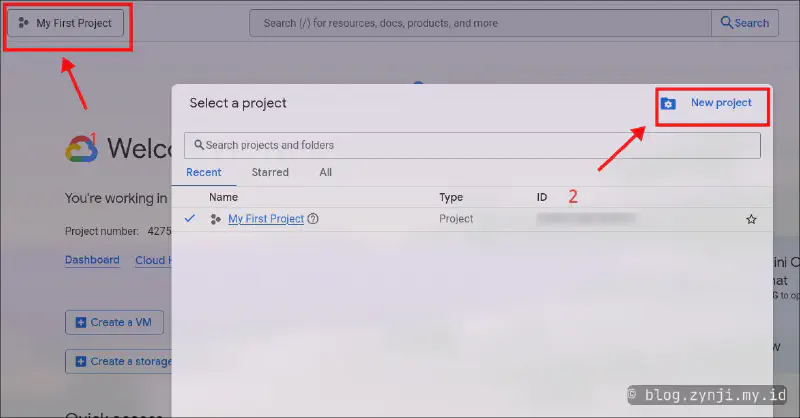
Open Google Cloud Console
Create a new Project if you don’t have one.
-
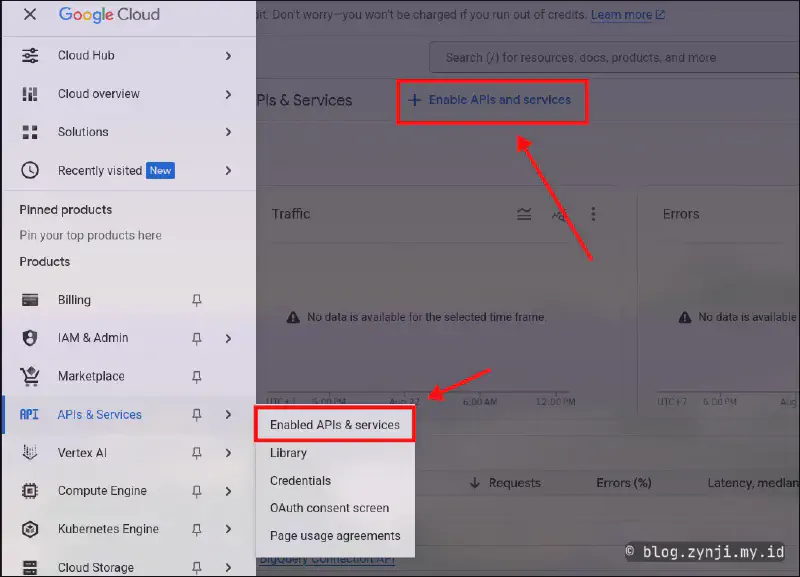
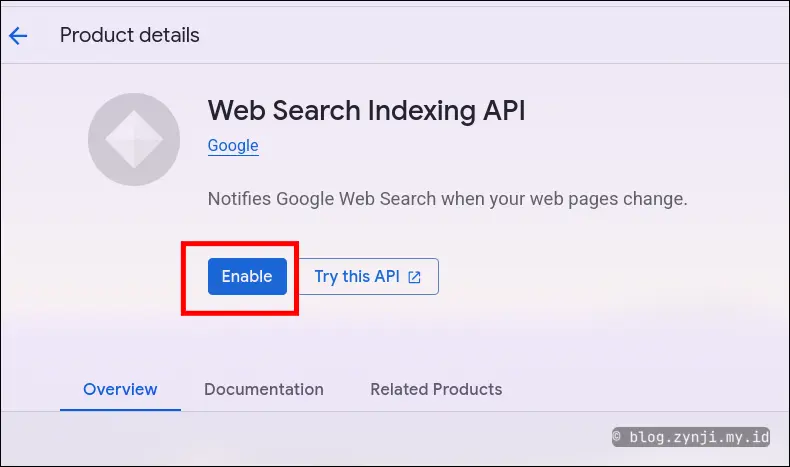
Enable the Indexing API in Google Cloud
EnableWeb Search Indexing API.
-
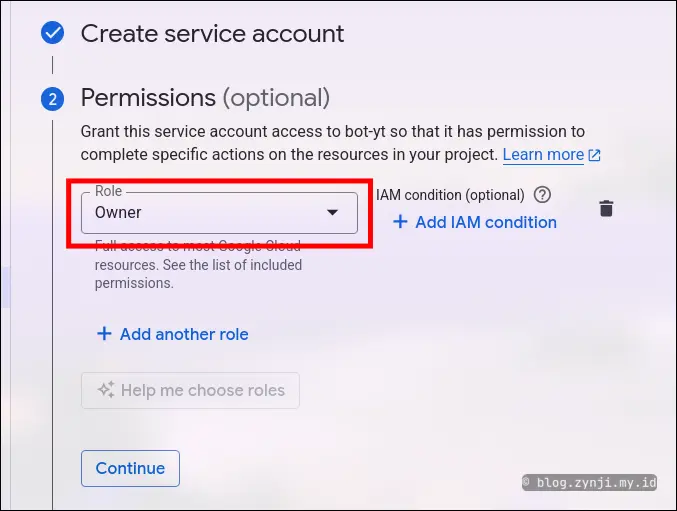
Create a Service Account
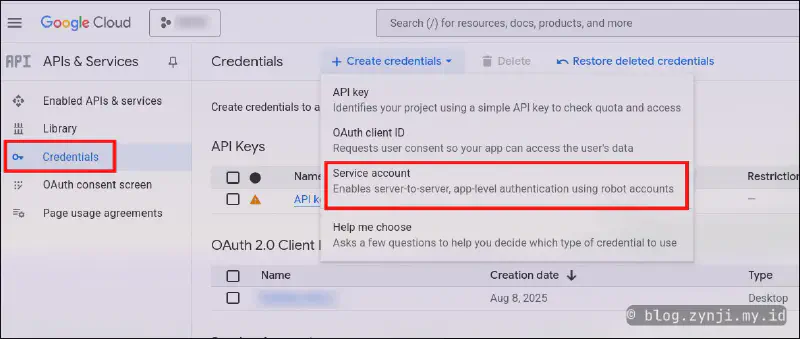
Make sure to set the Role to “Owner”.
-
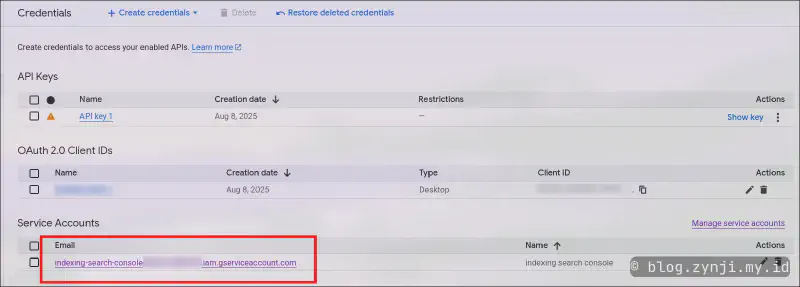
Copy the Service Account email
-
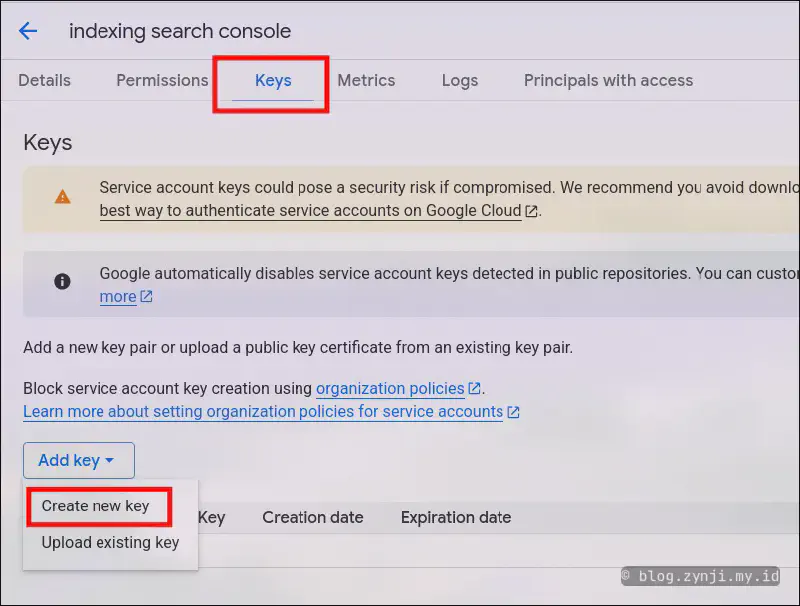
Create the service.json file
After creating the key, the JSON file will be downloaded automatically.
-
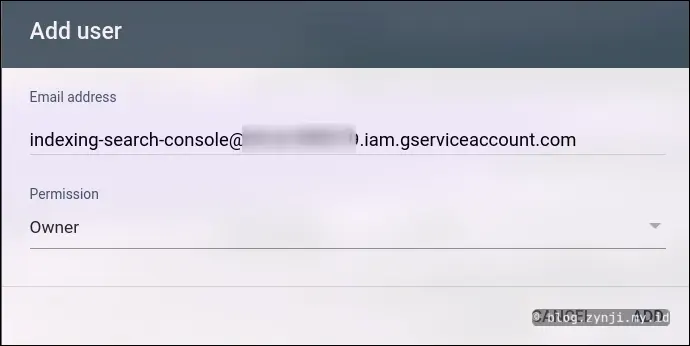
Add the Service Account email to Google Search Console
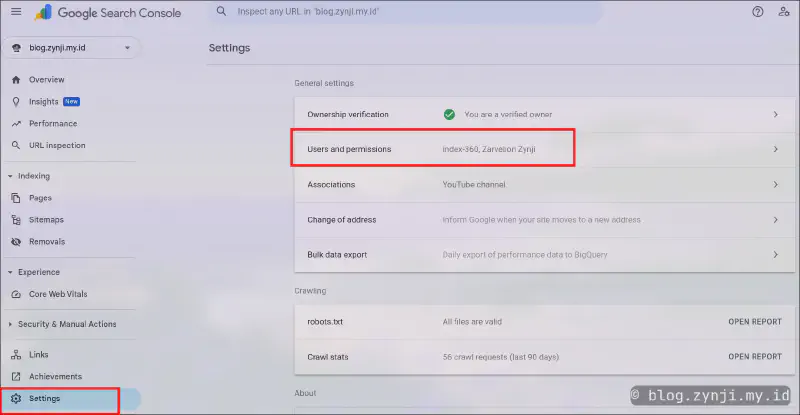
Set the permission to “Owner”.
-
Prepare the Automation Script
You can use a Python script to send URLs automatically, as explained in my article about bulk indexing. -
Submit the URLs to be indexed
Make sure the URLs are valid and already live so Google can crawl them properly.
🎯 Conclusion #
Google Indexing API is a powerful tool to boost your content’s visibility on Google Search. By learning and applying it, you gain an advantage in today’s competitive digital space. Start using it now if you are serious about growing your blog or website.
If you want to see how to automate Google Indexing API with IndexNow, I’ve prepared a full tutorial on my blog.
I hope this article helps you understand the importance of Google Indexing API. If you have questions or want to share your experience, leave a comment below. I’m ready to help.