

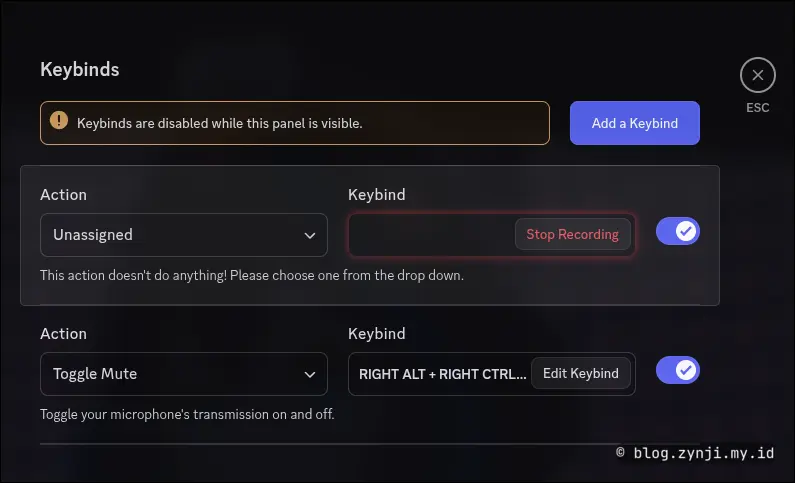
As someone who uses Discord a lot but stays quiet most of the time, I need keybinds to quickly toggle the microphone mute function. The problem is, on Hyprland/Wayland, Discord fails to detect keybind inputs even after pressing various keyboard and mouse buttons. In this article, I will show you how to fix Discord so it can properly register keybinds when using the Hyprland/Wayland DE/WM.
See video version from this article!
✅ The Problem #
On Hyprland, Discord cannot detect custom keybind inputs. The issue comes from the ELECTRON_OZONE_PLATFORM_HINT=wayland environment variable, which forces Discord to run in Wayland mode. Discord handles keybind inputs more reliably when running in X11 mode.
✅ The Solution #
We will make Discord ignore the ELECTRON_OZONE_PLATFORM_HINT variable so it runs in X11 mode instead.
🔧 Steps to Fix #
1. Copy the Discord launcher file #
Open your terminal and run:
cp /usr/share/applications/discord.desktop ~/.local/share/applications/
This copies the Discord launcher shortcut to your local applications folder so you can edit it without touching system files.
2. Edit the Discord launcher #
Edit the copied file:
nano ~/.local/share/applications/discord.desktop
Find this line:
Exec=/usr/bin/discord
Change it to:
Exec=env ELECTRON_OZONE_PLATFORM_HINT= /usr/bin/discord
Explanation:
envruns the command with custom environment variablesELECTRON_OZONE_PLATFORM_HINT=clears the variable- Discord will then run in X11 mode
3. Save and exit #
Press:
Ctrl+Othen Enter to saveCtrl+Xto exit
4. Check Hyprland config #
Open your Hyprland config file:
nano ~/.config/hypr/hyprland.conf
If you see this line:
env = ELECTRON_OZONE_PLATFORM_HINT, wayland
Disable it by adding # at the beginning:
# env = ELECTRON_OZONE_PLATFORM_HINT, wayland
Save and exit.
5. Launch Discord #
Now open Discord from your application launcher (Rofi, Waybar, Menu, etc). Discord will start in X11 mode and keybinds will work as expected.
🧪 How to Test #
- Open Discord
- Go to Settings → Keybinds
- Add a new keybind, for example
Right Ctrl + Shift - Press the keys. If detected, the fix works.
✅ Notes #
- Discord is built on Electron, so environment variables affect its behavior
- With this method, Discord runs normally while keybinds work without affecting other apps
- This fix is specific to Discord only