

Ever felt frustrated having to submit multiple URLs to Google Indexing API or IndexNow one by one? I have too. Sometimes the process is long, manual, and wastes precious time. That’s why I created BulkIndexx, a Python script that lets you send multiple URLs to both indexing services at once.
In this article, I will explain in detail how BulkIndexx works, how to use it, and why you should start using it now.
🚀 What is BulkIndexx and Why Do You Need It? #
BulkIndexx is an automation script that helps you send URLs in bulk to Google Indexing API and IndexNow. With it, you can speed up the indexing of new or updated content without manually submitting them one by one.
If you already know about Google Indexing API and IndexNow, BulkIndexx is a handy tool to optimize both at the same time.
🔧 Key Features of BulkIndexx #
- Send multiple URLs from a text file or a single URL directly.
- Choose to submit only to Google, only to IndexNow, or to both.
- Automatically install and upgrade required Python libraries.
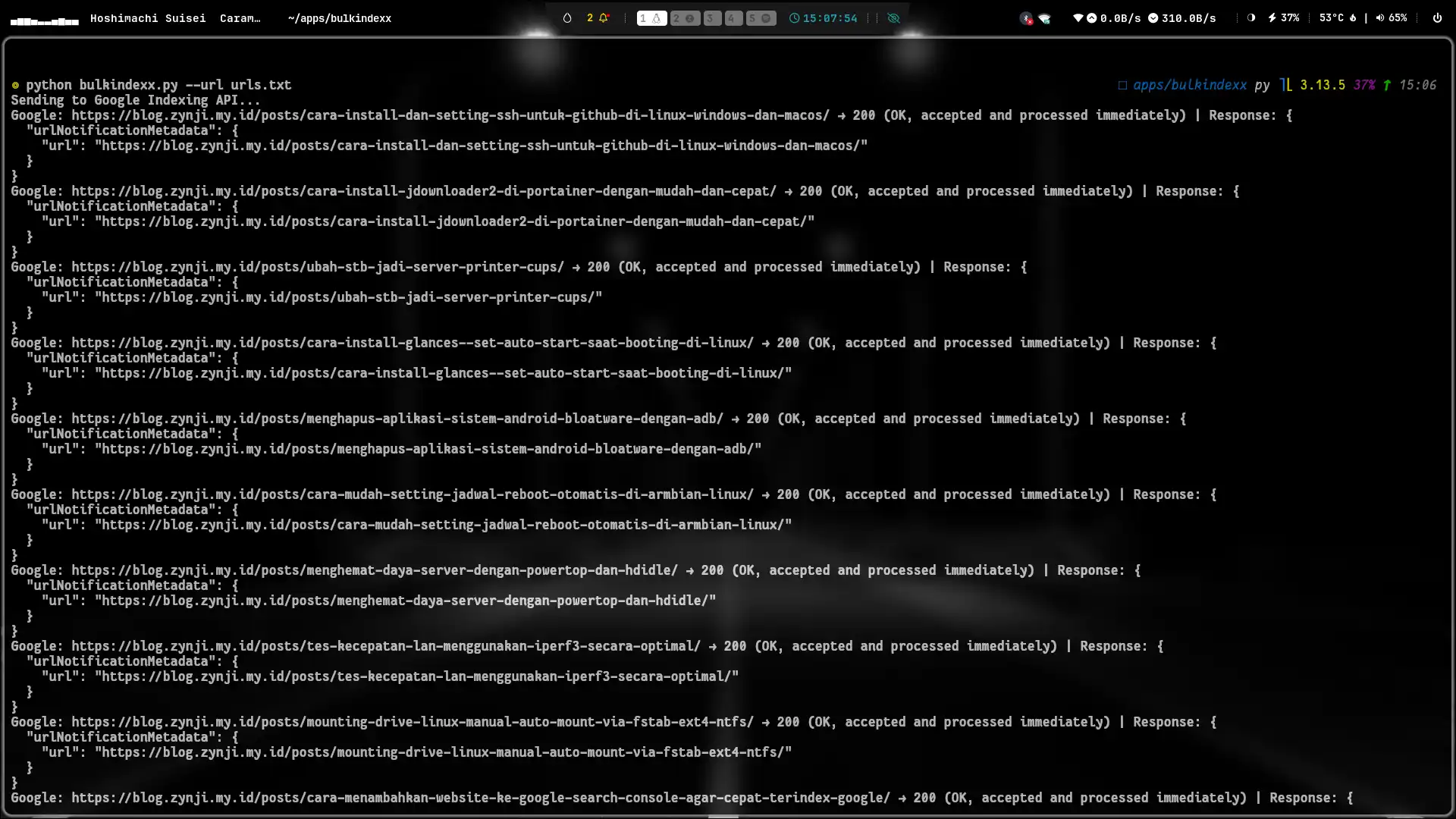
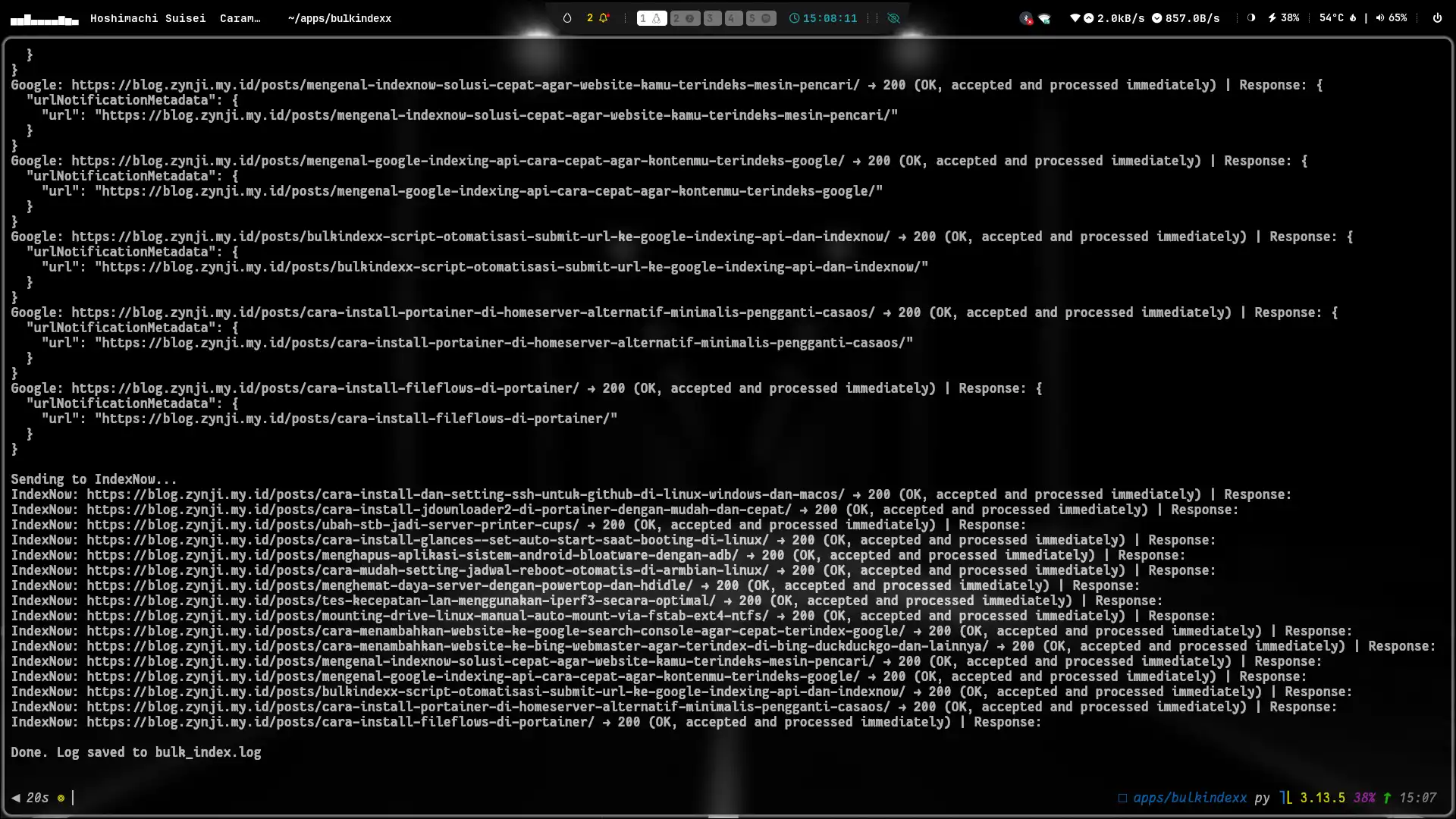
- Logs submission results with HTTP status codes and response messages.
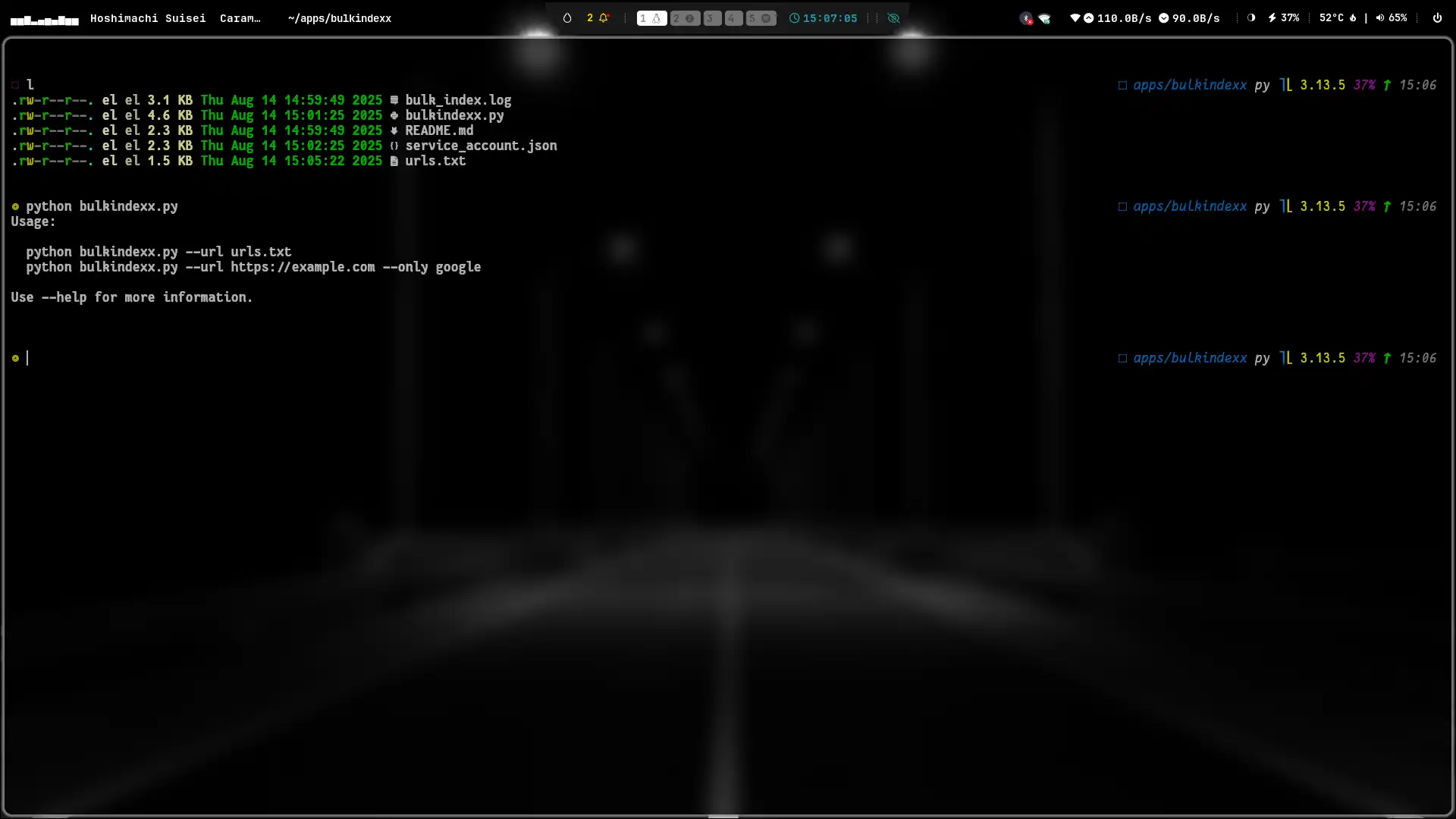
- Displays usage guide when run without arguments.
📋 How BulkIndexx Works #
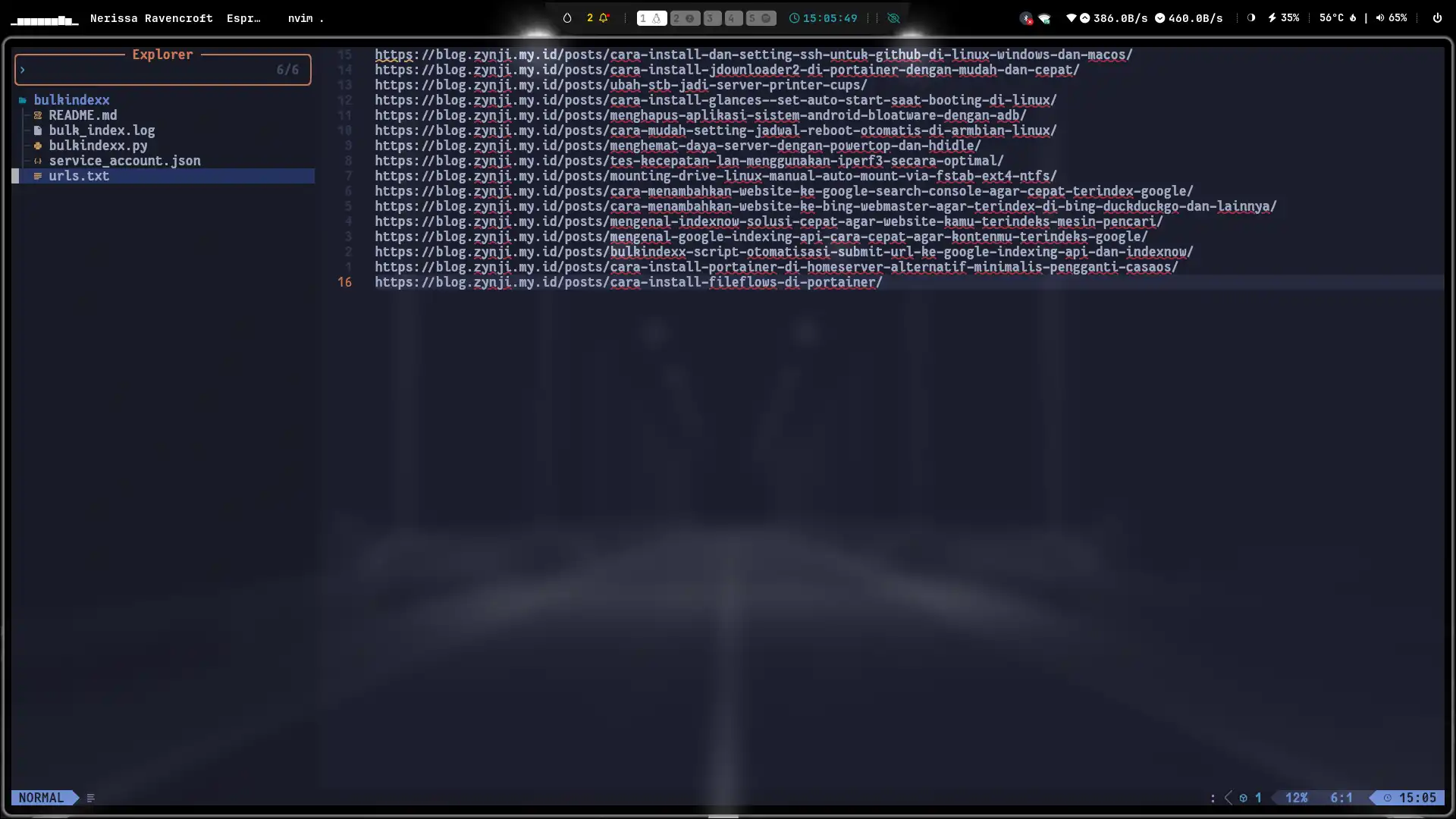
BulkIndexx reads URLs from a text file (urls.txt) or from a single URL argument. Then:
- Checks if
google-authandrequestslibraries are installed and meet minimum versions. - If submitting to Google, the script uses a service account JSON for authentication and sends a
URL_UPDATEDnotification. - If submitting to IndexNow, the script sends the URL payload to the IndexNow endpoint using your API key.
- All responses are logged in
bulk_index.logfor review.
⚙️ Installing and Setting Up BulkIndexx #
-
Prepare Google Service Account Create a service account in Google Cloud Console with access to the Indexing API, then download the
service_account.jsonfile. Add the email fromservice_account.jsonto Google Search Console as anOwner. -
Get IndexNow API Key Sign up and get an API key from your preferred IndexNow service. Make sure IndexNow is properly set up on your website.
-
Prepare URL File Create a text file
urls.txtcontaining the URLs you want to submit, one URL per line. -
Download and Run the Script
Save the BulkIndexx script asbulkindexx.py. Run it with:python bulkindexx.py --url urls.txt
📝 Usage Examples #
-
Submit multiple URLs at once:
python bulkindexx.py --url urls.txt -
Submit a single URL to Google only:
python bulkindexx.py --url https://blog.zynji.my.id --only google -
Submit only to IndexNow:
python bulkindexx.py --url https://blog.zynji.my.id --only indexnow -
Show usage guide:
python bulkindexx.py
📊 Example Log Output and Status Explanation #
Each submitted URL generates a log like:
Google: https://blog.zynji.my.id → 200 OK
IndexNow: https://blog.zynji.my.id → 202 Accepted
- 200 means the request was successful and accepted by Google.
- 202 means IndexNow accepted the notification and will process it.
Logs are saved in bulk_index.log so you can review submission history.
🎯 Conclusion #
BulkIndexx is ideal for anyone who wants a faster and more efficient way to submit multiple URLs to Google and IndexNow. This script automates a crucial process to keep your content indexed quickly and visible in search results.
If you are serious about managing your blog or website, using BulkIndexx alongside indexing services will greatly help your SEO performance.
I hope this article helps you understand and use BulkIndexx with ease. If you have any questions or want to discuss further, feel free to leave a comment.
Changelog #
[v1.1.0] - 21/08/2025 #
Added #
- Blogger mode parameter (
--blogger) - Rate limiting delay between requests
- Progress indicators
Changed #
- Better module check and install